The primary friction in modern creative operations isn’t a lack of images; it is the chaotic variance between them. A marketing team can now generate fifty campaign assets in the time it used to take to brew a pot of coffee, yet those fifty assets often look like they were pulled from five different brand guidelines. One image has the cinematic warmth of a high-end film stock; the next, generated by the same prompt but in a different session, has the sterile, over-sharpened plastic sheen of early generative models.
When these assets are distributed across Instagram, Facebook ads, and high-conversion landing pages, the lack of a unified “visual grammar” becomes an immediate liability. Scaling a brand via AI requires moving past the novelty of the prompt and into the discipline of the edit. High-volume asset production demands a surgical layer that can take disparate outputs and force them into a cohesive system. Without this, you aren’t scaling a brand—you are scaling a mess.
The Illusion of Scale: Why Prompting Isn’t a Workflow
There is a common misconception among content teams that “better prompting” is the solution to visual inconsistency. While a well-structured prompt is essential, it is rarely enough to ensure batch-wide stability. “Hallucination drift” is a real phenomenon where, over the course of a generation session, a model begins to favor certain textures or lighting setups that weren’t present in the first few outputs. If you are generating a series of product lifestyle shots, the first three might look perfect, while the tenth begins to introduce weird architectural artifacts or shifts the “golden hour” lighting into something more neon.
Furthermore, “stylized” outputs that look impressive on a small mobile screen often fall apart when placed on a clean, minimalist landing page. The hyper-detail that AI models love to provide can actually work against a high-conversion UI by creating too much visual noise. The cost of manual retouching—sending every AI image to a professional designer for a half-hour of Photoshop work—nullifies the efficiency gains of using generative tools in the first place. A workflow that relies solely on raw generation is not a production-ready pipeline; it is just a series of creative experiments.
The Middle-Layer Strategy for Visual Cohesion
To bridge the gap between raw AI generation and a polished campaign, teams are increasingly adopting a “middle-layer” strategy. This involves using a centralized environment to benchmark all assets against a “Source of Truth” image. Instead of hoping the AI gets the lighting right every time, teams generate the core subject and then use a dedicated AI Photo Editor to standardize the environment.
This middle layer allows a team to be model-agnostic. You might use Flux for its exceptional composition or Nano Banana for its specific aesthetic, but the final output should not reveal which model was used. By passing these outputs through a unified editor, you can apply consistent color grading, sharpen specific focal points, and ensure that the skin textures or product surfaces match across the entire batch. Non-destructive editing is the key here; you need the ability to tweak the “AI-ness” of an image without losing the underlying structure that the model provided.

Surgical Refinement: Backgrounds, Faces, and Object Erasure
Consistency often dies in the details. A set of social media ads might feature the same model, but if the background lighting in the “outdoor” shot doesn’t match the “indoor” shot’s color temperature, the viewer’s brain registers a subtle, unsettling disconnect. This is where surgical operations become more important than the initial prompt.
- Background Standardization: Using automated background removal and replacement allows you to drop different subjects into the exact same environmental lighting. If your landing page has a specific “eggshell white” aesthetic, you shouldn’t be generating subjects against white backgrounds—you should be generating them and then using an AI Photo Editor to cut them out and place them into a pre-approved, brand-consistent environment.
- Localized Face Swapping: For global campaigns, teams often need to localize assets. Instead of re-generating the entire creative core—which risks changing the product or the clothing—face swapping allows for localized representation while keeping the high-value creative assets identical.
- The Object Eraser as a Quality Gate: Even the best models today still produce “ghost” artifacts—a floating strap, a blurred finger, or an illogical shadow. An integrated object eraser is no longer an “extra” feature; it is a fundamental requirement for cleaning up assets before they reach the campaign manager’s desk.
Standardizing Quality with Intelligent Upscaling
One of the quickest ways to destroy brand trust is to feature a low-resolution or “mushy” image on a high-value landing page. Resolution variance is a silent killer of consistency. An image that looks crisp as a 1080×1080 Instagram post can look amateurish when scaled to a 4K hero banner.
A production-ready AI Photo Edit solves this by integrating intelligent upscaling that doesn’t just “blow up” the pixels but actually reconstructs texture. When moving assets from social to web, the upscaling process must be uniform. If one image is upscaled using a “creative” algorithm and another using a “fast” algorithm, the textures will not match. One will have realistic skin pores, while the other will look like a wax figure. Maintaining a single upscaling standard ensures that whether the customer sees a thumbnail or a billboard, the perceived quality of the brand remains static.
The Limits of Automation: Where Human Judgment Still Resides
Despite the massive leaps in generative technology, there are areas where the “AI-first” approach still hits a wall. Acknowledging these limitations is essential for any team trying to build a repeatable pipeline.
First, precise hex-code color matching remains a significant challenge. If your brand requires a very specific shade of “Electric Cobalt” (#0047AB), you cannot rely on an AI prompt to get it right. Most models treat color as a vibe rather than a coordinate. Teams must often use manual overlays or traditional color-correction sliders within their editor to ensure the product color is legally and aesthetically accurate.
Second, typography is still a battleground. While models are getting better at rendering text, the nuance of kerning, leading, and brand-specific font weights often requires a human eye. An AI-generated sign in the background might look “fine,” but it rarely meets the standards of a professional typographer.
Finally, there is the “uncanny valley” threshold. A batch of assets might look perfect to an automated checker, but a human editor needs to identify when a face looks just a little too symmetrical or a shadow falls in a way that defies physics. There is a specific point where an asset is “good enough” for a fleeting social media impression but “too weird” for a high-intent landing page where a customer is being asked to spend money.
Operationalizing the AI Asset Pipeline
Transitioning from a “prompt-first” mindset to an “edit-first” production cycle is what separates hobbyist creators from professional content teams. The goal is no longer to get the “perfect” image out of the machine on the first try. Instead, the goal is to get a “structurally sound” image that can be refined, standardized, and scaled through a disciplined editing workflow.
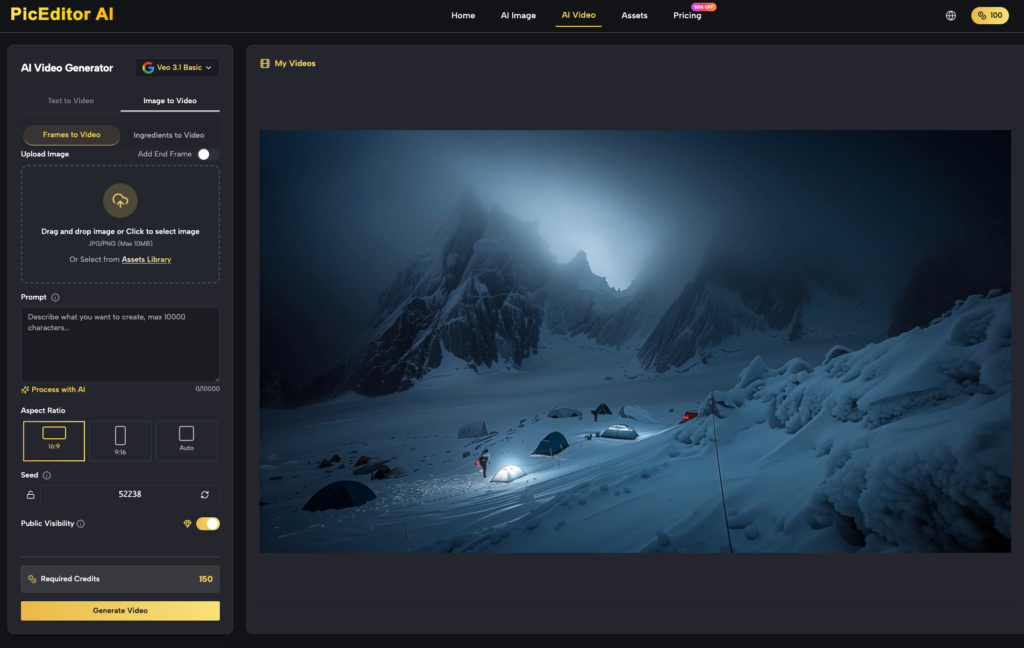
When using tools like PicEditor AI, the focus shifts to the speed of the refinement loop. How quickly can we remove a background? How consistently can we upscale a batch of twenty variants? By treating the generative model as the “rough draft” and the editor as the “final polish,” teams can reduce their time-to-market by 70% while actually increasing the visual quality of their output.
Before pushing any batch to a campaign manager, a final checklist is mandatory: Do the blacks in the shadows match? Is the sharpening uniform across the set? Does the product color stay true under different environmental prompts? If you can answer yes to these, you’ve moved past the chaos of AI generation and into the precision of AI production.