The most common failure in agency-led AI production isn’t a lack of creative vision; it is the “visual drift” that occurs between the initial pitch and the final delivery. When a creative team presents a mood board to a client, they are promising a cohesive aesthetic universe. However, when that team begins generating assets across multiple platforms—Instagram Reels, YouTube pre-rolls, and high-fidelity landing pages—the inherent randomness of generative models often results in a fragmented brand identity.
An Instagram ad might look like a hyper-realistic cinematic shot, while the corresponding landing page video feels like a stylized digital render. This “visual friction” kills professionality and erodes trust. For agencies, the goal isn’t just to generate a single impressive clip; it is to maintain a rigorous, repeatable aesthetic coherence across a 50-asset campaign. Achieving this requires moving beyond simple prompting and adopting a “Style-First, Model-Second” workflow.
The Brand Fragmentation Trap in Generative Production
Standard brand guidelines—hex codes, font hierarchies, and logo placement—are often insufficient when interpreted by a generative engine. Most models do not “understand” a brand; they predict pixels based on a prompt. If three different team members are prompting for “modern office setting” across different tools, they will likely return three different lighting setups, color temperatures, and interior design styles.
The cost of this drift is more than just aesthetic. It creates a disjointed user journey. When a potential customer clicks a social ad and arrives at a site featuring assets with noticeably different “character weights” or textures, the cognitive load increases. They subconsciously question if they are in the right place.
To solve this, agencies must identify the specific elements where drift occurs most frequently: lighting consistency, textural grain, and the “physics” of movement. If the wind in one video clip behaves differently than in another within the same campaign, the viewer perceives it as an error.
Standardizing the Visual North Star
Before hitting generate, a production team must establish a “Style String.” This is a non-negotiable block of technical keywords that must exist in every prompt used across the campaign, regardless of the platform or specific scene.
A successful Style String focuses on technical parameters rather than abstract concepts. Instead of “professional and clean,” a production-ready string might include: “shot on Arri Alexa, 35mm lens, f/2.8, warm volumetric lighting, 5% film grain, muted earth tones.” By anchoring the engine in specific camera physics and lighting palettes, you constrain the model’s creative “wandering.”
Reference images play an even more critical role. It is almost always safer to start with a static “hero” asset—often generated using a high-fidelity image model—and use that as a seed for motion. This ensures that the base colors and compositions are locked in before the complexity of temporal movement is introduced.
Bridging Static and Motion with an AI Video Generator
The transition from a static image to a dynamic video is where most consistency is lost. When using an AI Video Generator to extend the life of landing page assets into high-engagement social clips, the primary challenge is temporal coherence. This is the ability of the model to keep the details of an object consistent from frame one to frame sixty.
In many workflows, moving from a static seed to a 9:16 social ad can cause “shimmering”—where textures or patterns fluctuate unnaturally. To mitigate this, operators must utilize image-to-video (I2V) paths rather than text-to-video (T2V) paths. By providing the model with a clear visual starting point, you reduce the engine’s need to hallucinate the foundational environment.
However, there is a notable limitation in current technology: seed management is not universal. Using an identical seed number across different models—such as Kling and Runway—will yield entirely divergent results. There is no industry-wide standardization for how seeds are calculated or applied. This means that once a team selects an AI Video Generator for a specific campaign, they are effectively committed to that engine’s “logic” for the duration of the project to maintain visual parity.
Multi-Model Orchestration and Batch Efficiency
For agencies delivering at scale, the “context-switching tax” is a significant margin-killer. Jumping between half a dozen browser tabs to test how different engines handle a single prompt is inefficient. This is where a centralized hub becomes a tactical necessity.
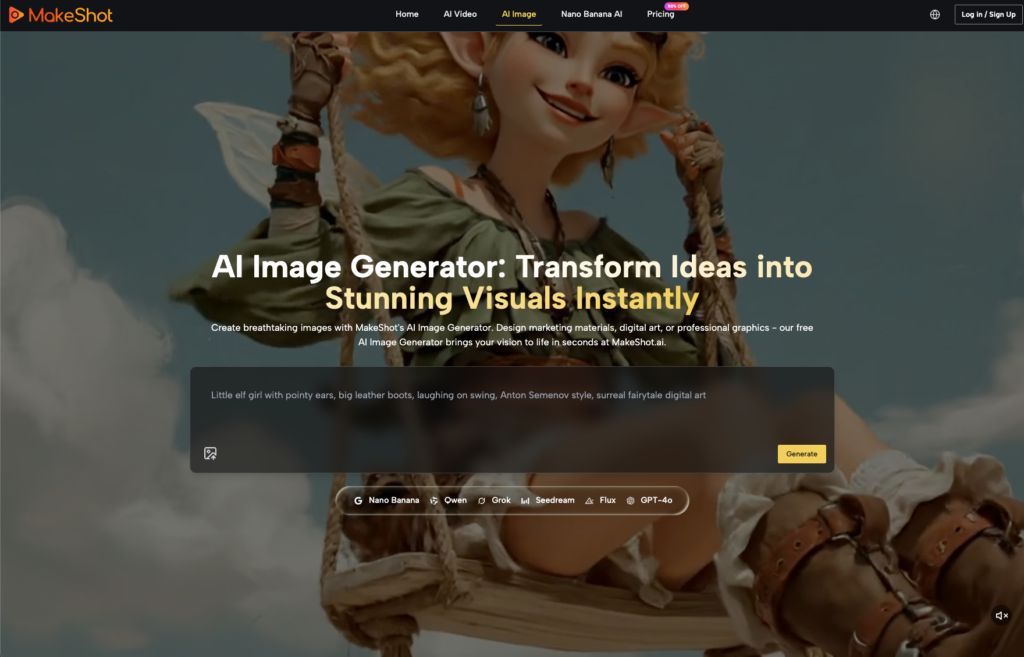
Platforms like MakeShot allow creative leads to audit the visual output of an entire campaign from a single dashboard. Testing a prompt across Google Veo, Sora 2, and Kling simultaneously allows a team to see which engine “interprets” the brand’s Style String with the highest fidelity.
This orchestration is particularly valuable when producing batches for different aspect ratios. A 16:9 YouTube video requires different spatial awareness from the AI than a 9:16 TikTok clip. A unified interface allows the production lead to verify that the lighting and character features remain identical even as the “frame” changes. It shifts the role of the creative lead from a prompter to an auditor, ensuring that the 50th asset produced matches the quality of the first.

Managing Uncertainty and Hallucination Drift
It is important to acknowledge that AI video production is still far from being a “one-click” solution. Even with a perfect Style String and a high-quality seed, hallucination drift is a reality. The more movement a prompt requires, the more likely the AI is to struggle with limb placement, background warping, or “melting” objects.
One of the current hard limits is character consistency. While tools are improving, maintaining the exact facial geometry of a specific human character across ten different scenes remains difficult without significant manual intervention. Because of this, many savvy agencies are pivoting toward “abstracted” brand visuals or atmospheric shots—landscapes, macro textures, and lighting studies—where the AI’s creative “errors” are less noticeable or can be framed as artistic choices.
There is also the “Last Mile” problem. AI-generated outputs rarely meet 100% brand match without human post-production. Most professional-grade assets still require traditional color grading in Davinci Resolve or compositing in After Effects. Agencies must set client expectations early: the AI provides the “heavy lifting” of the footage, but the human editor provides the “polish” that makes it feel like a premium brand asset.
From Prototype to Pipeline: The Future of Agency Delivery
The agency landscape is shifting from a world of “one-off” experimental AI projects to repeatable, industrialized asset pipelines. The value-add for a modern agency is no longer the ability to use an AI tool—that is a commodity. The value is the workflow discipline that prevents a campaign from looking like a disjointed collection of AI experiments.
This shift requires a change in mindset. Creative directors must think like systems engineers. They are no longer just managing artists; they are managing a suite of models and the inputs that drive them. They must know when to push a model for more detail and when to pivot to a different engine because the current one is “hallucinating” a specific brand color incorrectly.
Ultimately, the most successful campaigns will be those where the AI is invisible. The audience shouldn’t be thinking about the tool used to create the video; they should be focused on the message. By mastering cross-platform consistency through rigorous prompt standardization, seed management, and multi-model orchestration, agencies can finally deliver the “AI scale” that has been promised, without sacrificing the brand integrity that clients pay for. The future of the industry belongs to those who prioritize the pipeline over the prompt.